

Appearance
Approval requests
The Approval requests view displays all actions submitted by your team that require approval before execution. This view is available to users with the appropriate role to approve requests.
To configure which actions require approval, see the Configuration page.
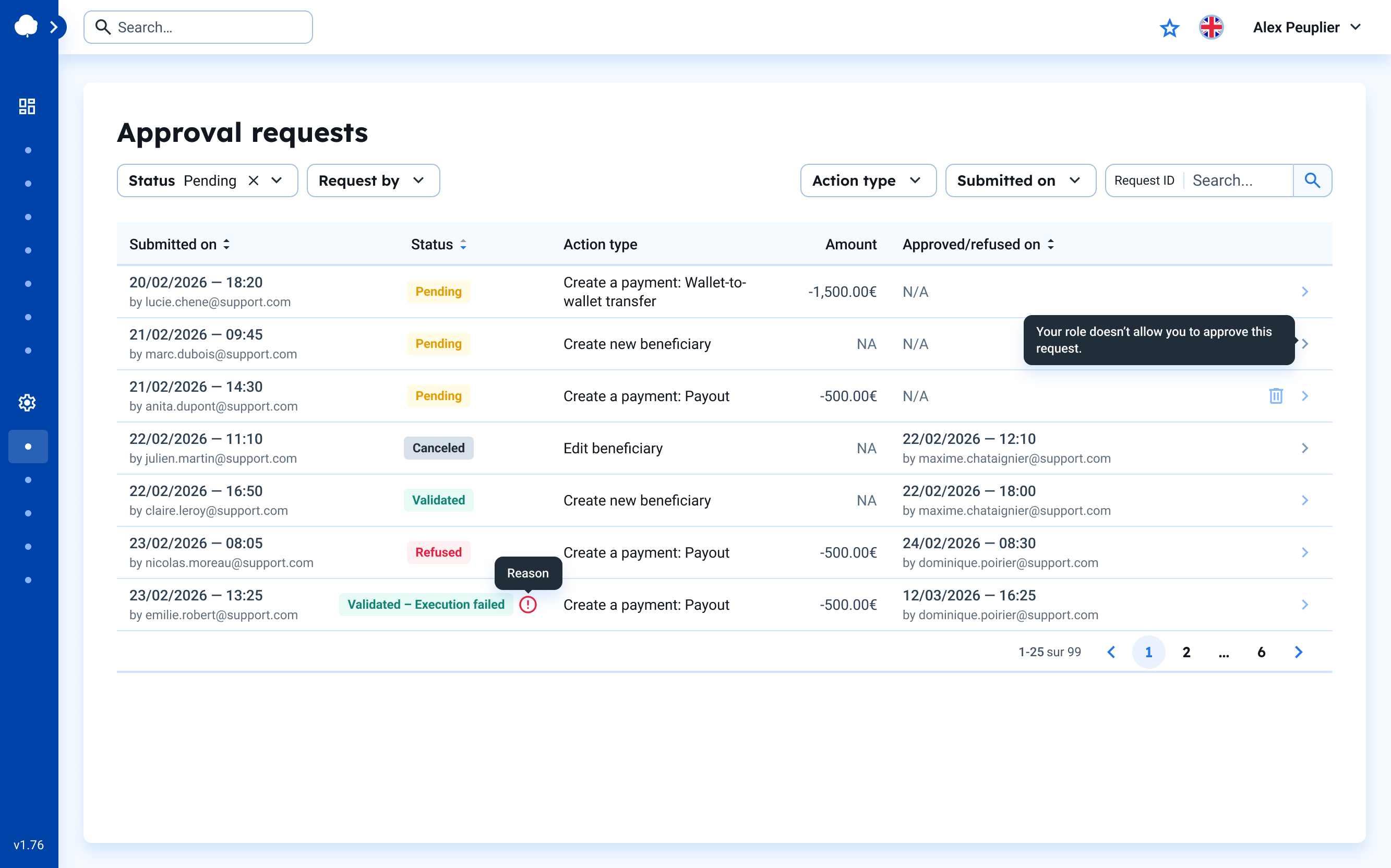
Request statuses
Each approval request has one of the following statuses:
| Status | Description |
|---|---|
| Pending | The request is awaiting approval from an authorized team member. |
| Validated | The request has been approved and executed successfully. |
| Refused | The request has been rejected by an approver. |
| Cancelled | The request has been cancelled by the requester. |
| Validated – Execution failed | The request was approved but the action failed during execution. |
Filtering requests
Use the filters at the top of the view to narrow down the list of requests:
- Status – Filter by request status (Pending, Validated, Refused, etc.)
- Request by – Filter by the team member who submitted the request
- Action type – Filter by the type of action (Payment, Beneficiary)
- Submitted on – Filter by submission date
- Request ID – Search for a specific request by its identifier
Approving or refusing requests
To approve or refuse a pending request:
- Click on the request row to open the details.
- Review the action details (amount, beneficiary, etc.).
- Click "Approve" or "Refuse" as appropriate.

Note – Approvers cannot approve their own requests
A request must be approved by a different team member than the one who submitted it. If your role doesn't allow you to approve a specific request type, a message will indicate this.