

Appearance
Configuration
The Dashboard Configuration view is only available to Administrators. Configuration should be handled with caution, and with the help of Treezor for advanced features.
Approval workflows
The Approval workflows tab allows you to define actions for which an approval from a team member is necessary before execution. This applies only to the most sensitive actions regarding payments and beneficiaries.
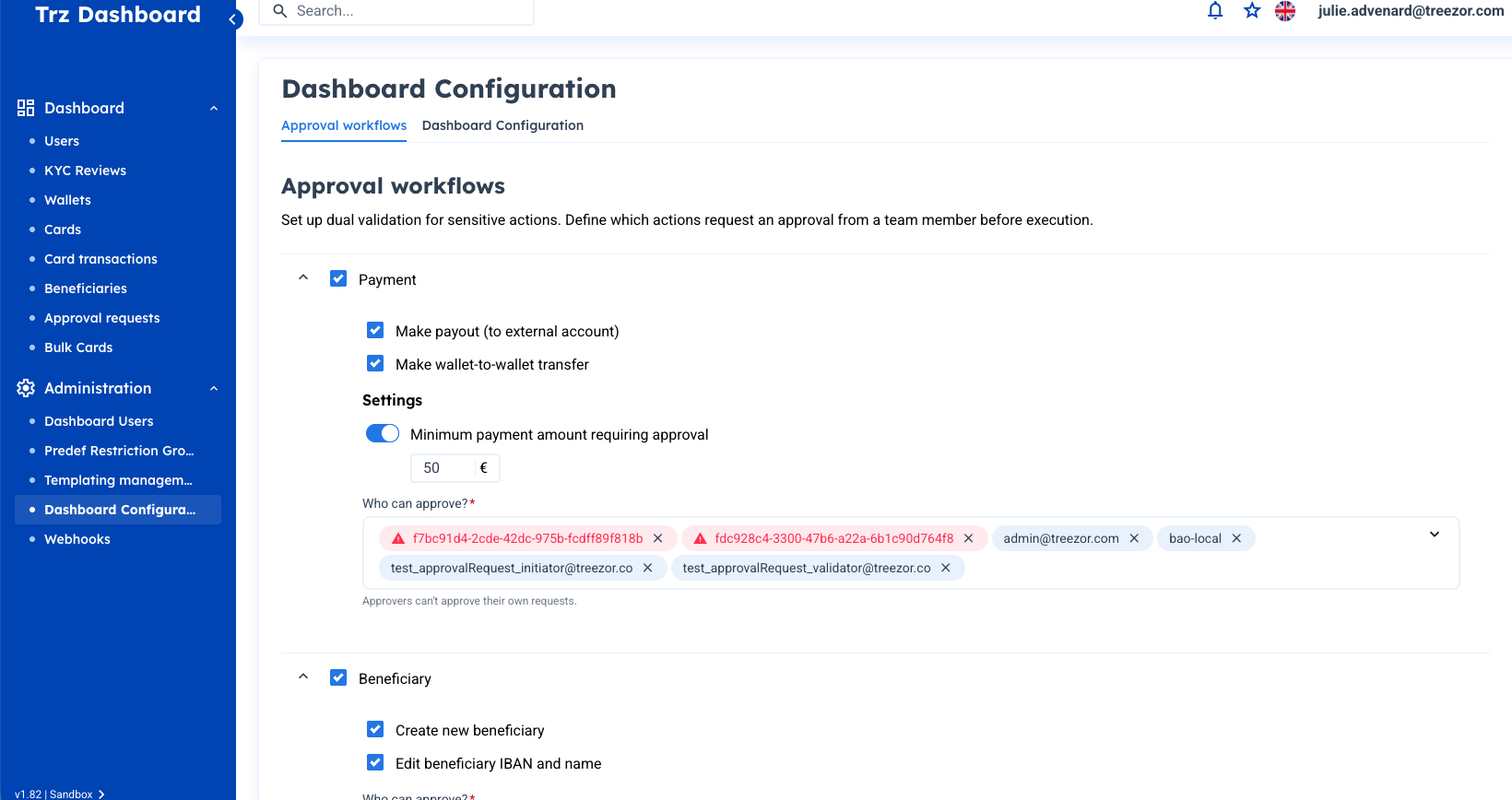
Define actions to approve
Here are the actions that support dual validation:
| Category | Actions |
|---|---|
| Payment | Make payout (to external account), Make wallet-to-wallet transfer |
| Beneficiary | Create new beneficiary, Edit beneficiary IBAN and name |
To define which actions will request the approval of another team member, tick the corresponding checkbox.
In addition, you can set a minimum amount that triggers the need for approval for payments using the Minimum payment amount requiring approval toggle.
Define approvers
Once you've selected your actions, you can define who in your team has the ability to approve each action using the Who can approve? field. Please note that:
- You need at least 2 approvers per type of action.
- The approvers picklist displays only Dashboard Users with the necessary role to approve the type of action.
- Approvers cannot approve their own requests.
Once configured, actions requiring approval appear in the Approval requests view.